

Your T4 Statement: What It Is & How To Get It
From first question to final approval — we've got you
What is a T4?
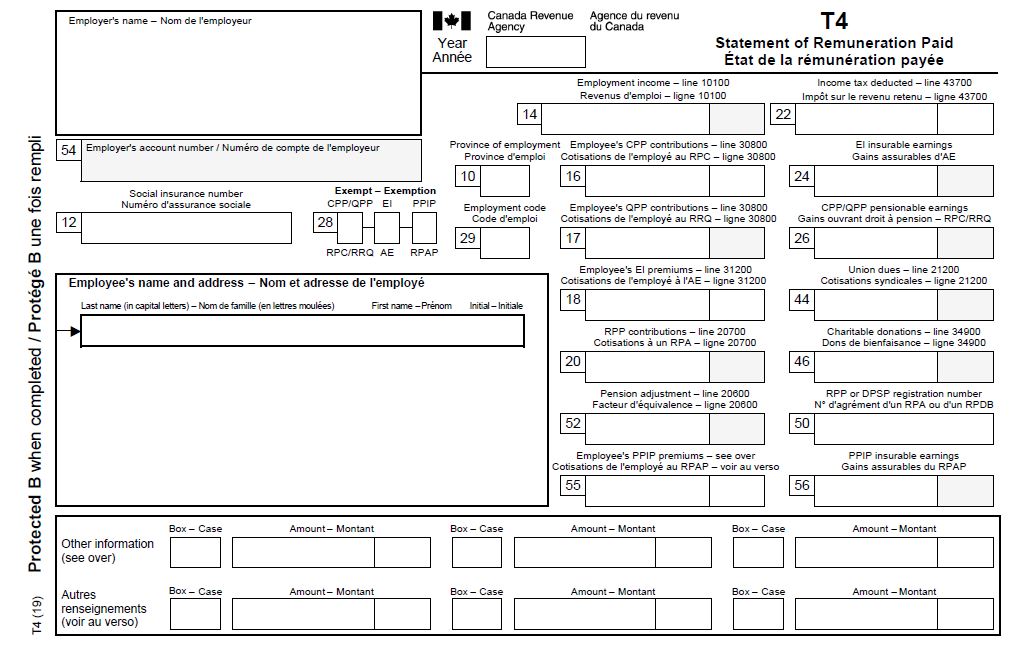
A T4 (Statement of Remuneration Paid) is the tax slip that shows what you earned from employment last year and what came off your paycheque along the way. It includes:
- Your total employment income
- Income tax deducted
- CPP contributions
- EI premiums
- Pension contributions
- Other deductions
- Your employer's name and address
How To Get Your T4
Option 1: From Your Employer
Employers are required to issue T4s by the end of February each year. Yours will usually come through one of these:
- Mail to your home address
- Email, if you've consented to electronic delivery
- Your company's employee portal
- Your payroll provider's website
Here's what a T4 from your employer typically looks like:
Option 2: Ask Your Accountant
If you had your taxes filed professionally, your accountant already has a copy of your T4 on file. A quick email or call to them will usually get you a copy faster than anything else.
Option 3: CRA My Account (For Current and Previous Years)
I'm listing this one last because dealing with the CRA website isn't anyone's favourite task. But if the first two options don't pan out, this will get the job done.
- Go to www.canada.ca/my-cra-account
- Log in through a sign-in partner, or your CRA username and password. If you haven't registered yet, you'll set that up here. You'll also likely need a 2FA code sent to your phone.
A tip: using your online banking as your sign-in partner makes future logins much faster.
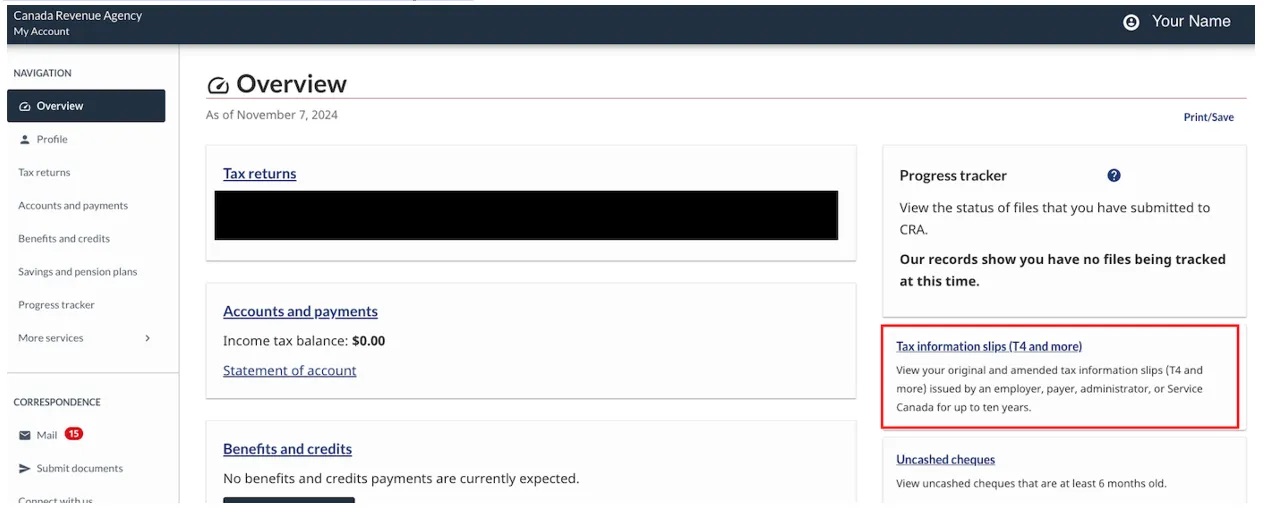
- Select "Tax Information Slips"
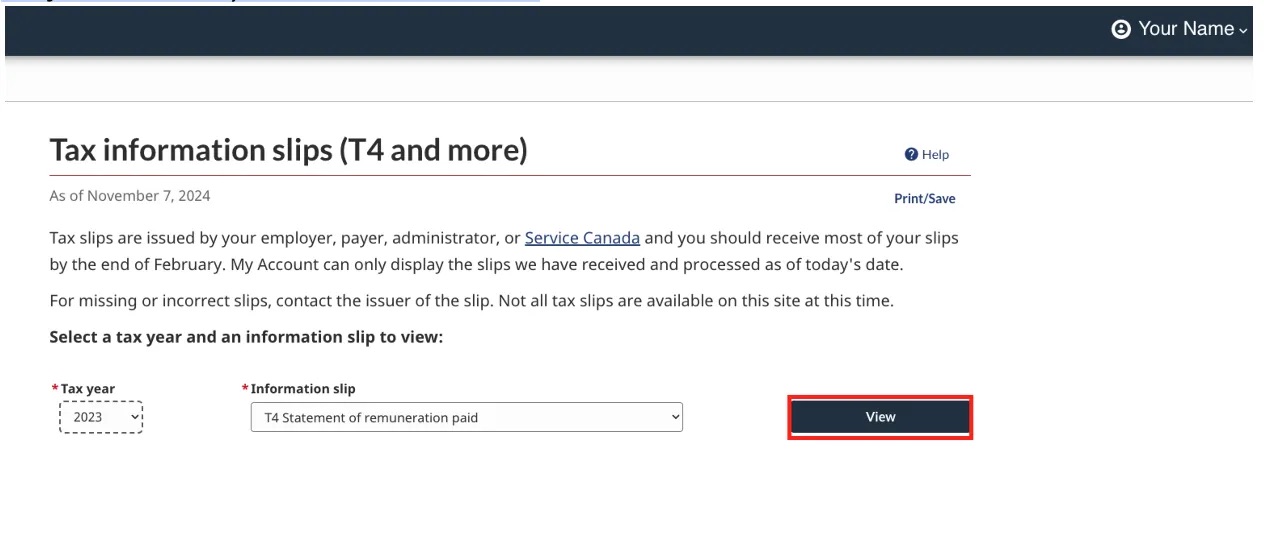
- Choose the tax year and slip type, most likely T4, then select "View"
- Once you're on the screen shown below, take a screenshot before you print or save as a PDF.
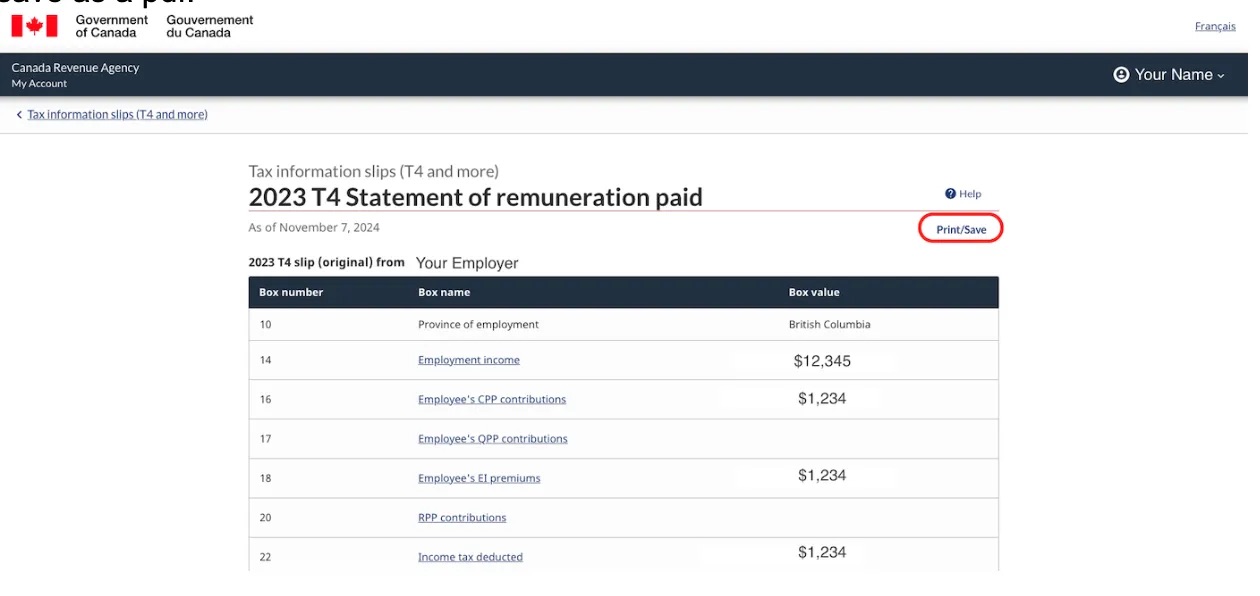
The reason for the screenshot is because when you print it, your name won't show up. (No idea why, it's a CRA bug). So we need to cross reference the screenshot above with the printed version below:
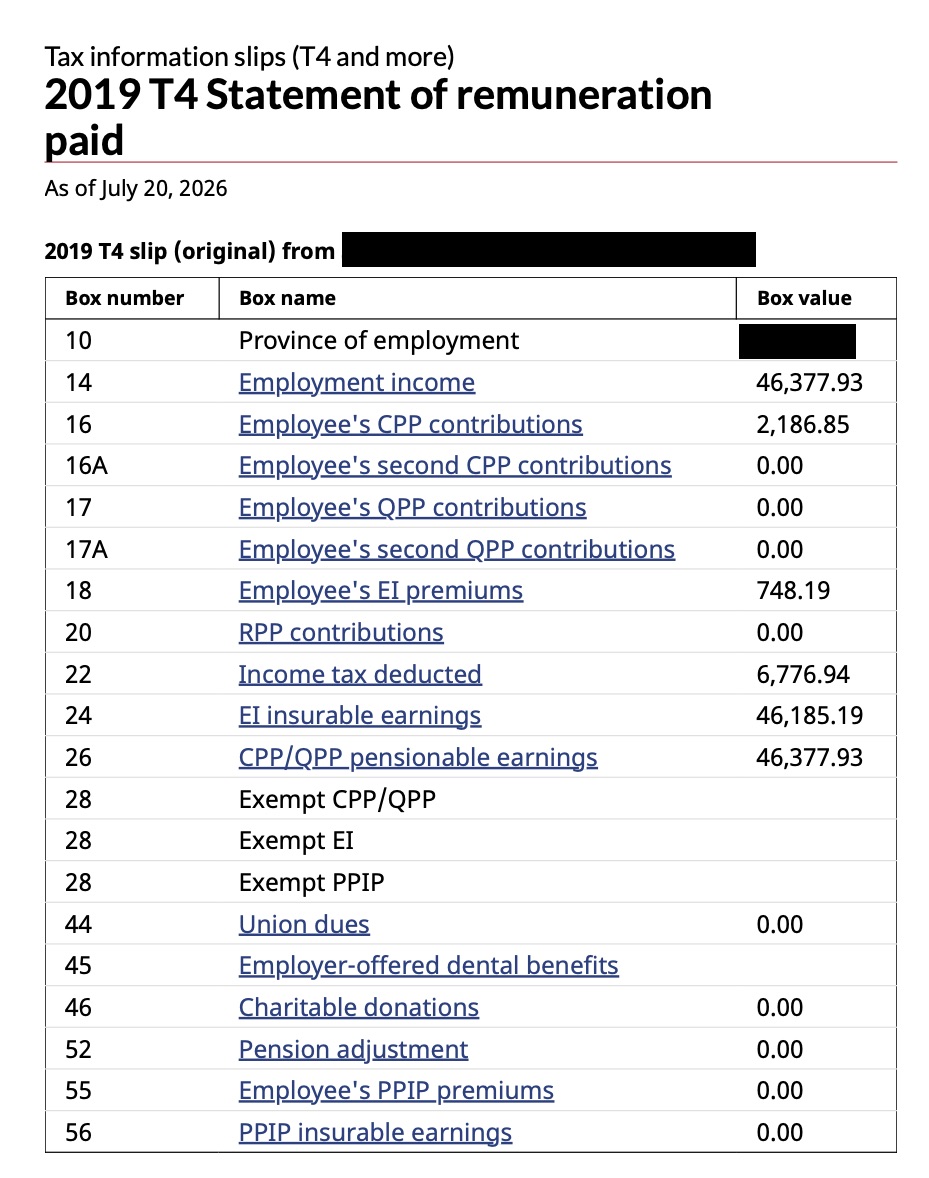
- Send me both the saved PDF and the screenshot.
- Repeat steps 4 through 6 for any other tax years or slip types I've requested.
A Few Important Notes
- Keep all your T4s somewhere safe, you'll likely need them again
- For mortgage applications, we typically need your last 1-2 years of T4s
- You may have more than one T4 if you changed employers during the year, work multiple jobs, or receive pension income (T4A)
- Current year T4s are available by the end of February
- Older T4s are accessible anytime through CRA My Account
